
The eNudge drag and drop editor allows you to import your own HTML. If you have HTML email content or templates that you have created in a design tool such as Canva, or another email service provider (ESP) editor, using the eNudge import solution is a great time-saver to help you re-use your existing layout and content.
Follow the steps below to import your HTML:
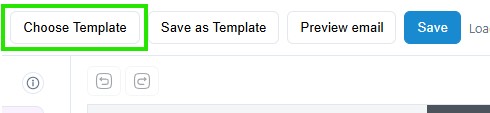
1. When editing an email campaign or a template via the eNudge editor, click on the ‘Choose Template’ button in the top navigation.
2. Click on the ‘Import HTML’ button in the top right.
3. Click on the ‘Choose File’ or ‘Browse’ button to locate your file containing campaign HTML.
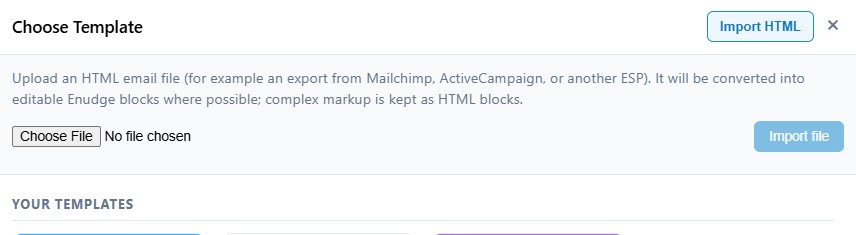
4. After you have located your file, click the ‘Import file’ button.
Voila! Your imported content will appear on screen inside the eNudge drag & drop editor.
eNudge will use best efforts to identify all the various components of your HTML email layout, so that you can continue to edit it using the eNudge drag and drop editor. eNudge is aware of common features of MailChimp and Active Campaign campaigns, such as the naming schemes for personalisation fields and footers, so these will be adjusted automatically. However, you may need to make further adjustments to achieve the desired layout.
During the import, eNudge will attempt to translate common merge fields from other ESPs into eNudge personalisation fields, and will remove unnecessary header and footer components, but still retaining the look of your layout. eNudge will also assess each element of your HTML (images, paragraphs, bulleted and numbered lists, headings) and map them into eNudge content blocks, bringing across all the settings such as padding, colours, hyperlink destinations and more.
You will likely still need to make some minor adjustments after your import. We recommend that you upload any previously embedded images which might be hosted in a location that can’t be relied upon to work into the future. The import should still save you lots of time.
If you are having trouble with the import of an HTML from a popular ESP, please don’t hesitate to get in touch with us, providing your HTML file, details of which ESP or other solution it was designed in, and details of the issues you are experiencing. We are here to help, and are keen to make our new import tool even better for all our eNudge users!
Once you have your layout in good shape you might like to Save it as a Template.