
Bulleted lists and numbered lists are contained within a separate widget within your email campaigns, using the eNudge drag and drop editor.
Editing the Text within your List
To add a new set of points:
Drag the List from the Blocks panel into the appropriate place within your email campaign.
A new list block will appear in your campaign:

Double-click on the text to start editing via the Editor Preview.
Indenting / Outdenting
To add a sub-list, either:
- Press your tab key, or
- Use the indent button in the toolbar
To reduce the indenting, either:
- Press Shift+Tab, or
- Use the outdent button in the toolbar
Inspector Panel Options
Via the right hand panel, you can adjust the following for the overall list:
List type (number or bullets)
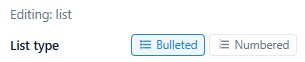
- Vertical gap in between list items (space between items).
- Left Indent width in pixels.
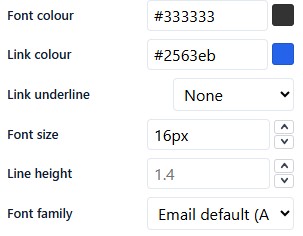
You can also edit the font face, size, and colour, hyperlink colour and decoration, paragraph line-height, padding etc.
When editing your text you will also have access to the text editing controls, which allow you to add hyperlinks, variable text formatting, add symbols etc within the content of your list:
